Техническая документация
Характеристики
Brand
StarTech.comТип продукции
Переключатель KVM
Тип соединения видеоизображения
Порт дисплея
Количество портов
2
Поддерживаемое количество дисплеев
1
Количество видеовыходов
1
Максимальное разрешение
3840 x 2160 pixel
Тип подключения клавиатуры/мышки
USB
Тип аудиоподключения
3,5 мм стерео
Материал каски/сварочной маски
40мм
Глубина
160мм
Стандарты/одобрения
FC, CE, TAA, RoHS
Ширина
100мм
Страна происхождения
Taiwan, Province Of China
Информация о товаре
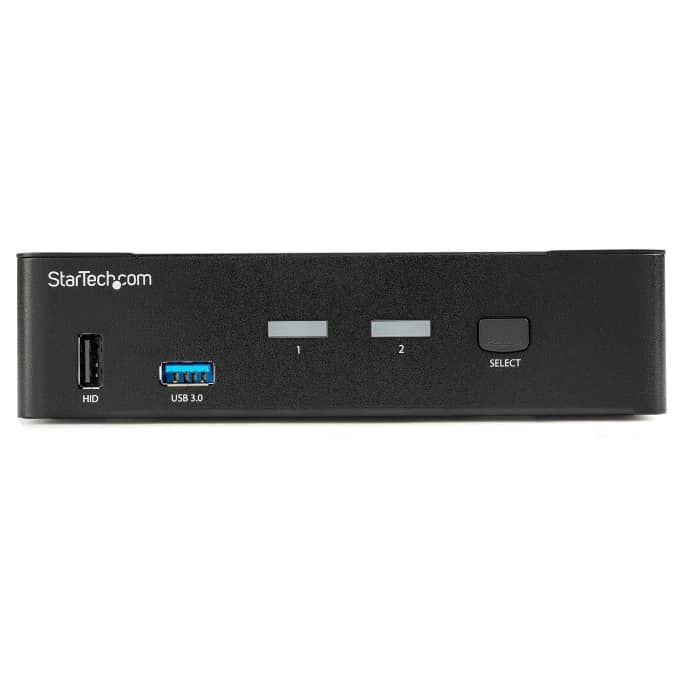
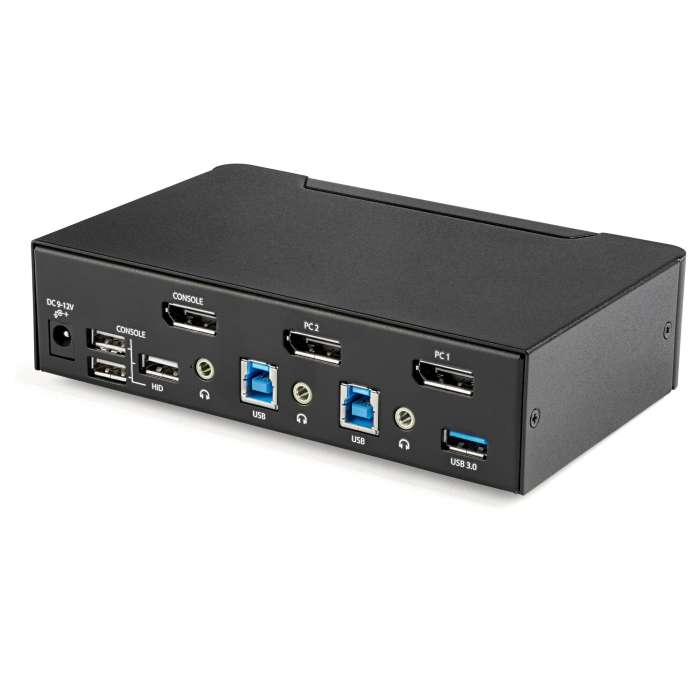
This 2-port KVM switch combines 4K (60Hz) digital display capabilities with control of two connected computers.
4K60 Picture and Full Audio Support
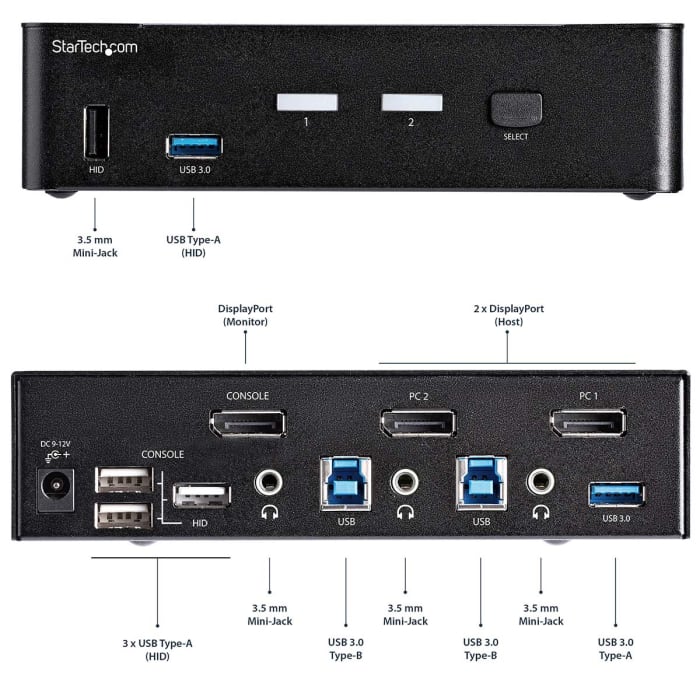
The DisplayPort KVM switch supports resolutions up to 4K at 60Hz. It drives one large monitor at the full 4K resolution or, using an MST adapter, can drive various DisplayPort multi-display setups totaling 4K if you need to maximize viewing space. With support for digital audio (with supporting displays and sources) and separate 3.5 mm stereo audio, the DisplayPort 1.2 KVM switch delivers full audio compatibility.
Integrated USB Hub
The integrated USB 3.0 hub shares two peripherals (in addition to keyboard and mouse) among attached computers as if they were directly connected to your host computer, eliminating the cost of duplicate devices such as printers and scanners.
Windows, Mac & Linux Compatible
While supporting Windows, this DP KVM switch is also compatible with Mac and Linux operating systems.
StarTech.com offers a wide selection of high-quality KVM switches and KVM-related products to help you access your systems more efficiently without the expense and clutter of extra keyboards, mice, and monitors. This 2-port DisplayPort KVM switch is backed by a 2-year warranty and free lifetime technical support.
Can I use any mouse or keyboard with the KVM Switch?
It will depend on the type of mouse or keyboard used. It is advised by the manufacturers to use standard wired104 key keyboards and a standard wired mouse that does not have additional features. This includes wireless, gaming and Apple keyboards.
Информация о наличии не успела загрузиться
P.O.A.
1
P.O.A.
Информация о наличии не успела загрузиться
1
Техническая документация
Характеристики
Brand
StarTech.comТип продукции
Переключатель KVM
Тип соединения видеоизображения
Порт дисплея
Количество портов
2
Поддерживаемое количество дисплеев
1
Количество видеовыходов
1
Максимальное разрешение
3840 x 2160 pixel
Тип подключения клавиатуры/мышки
USB
Тип аудиоподключения
3,5 мм стерео
Материал каски/сварочной маски
40мм
Глубина
160мм
Стандарты/одобрения
FC, CE, TAA, RoHS
Ширина
100мм
Страна происхождения
Taiwan, Province Of China
Информация о товаре
This 2-port KVM switch combines 4K (60Hz) digital display capabilities with control of two connected computers.
4K60 Picture and Full Audio Support
The DisplayPort KVM switch supports resolutions up to 4K at 60Hz. It drives one large monitor at the full 4K resolution or, using an MST adapter, can drive various DisplayPort multi-display setups totaling 4K if you need to maximize viewing space. With support for digital audio (with supporting displays and sources) and separate 3.5 mm stereo audio, the DisplayPort 1.2 KVM switch delivers full audio compatibility.
Integrated USB Hub
The integrated USB 3.0 hub shares two peripherals (in addition to keyboard and mouse) among attached computers as if they were directly connected to your host computer, eliminating the cost of duplicate devices such as printers and scanners.
Windows, Mac & Linux Compatible
While supporting Windows, this DP KVM switch is also compatible with Mac and Linux operating systems.
StarTech.com offers a wide selection of high-quality KVM switches and KVM-related products to help you access your systems more efficiently without the expense and clutter of extra keyboards, mice, and monitors. This 2-port DisplayPort KVM switch is backed by a 2-year warranty and free lifetime technical support.
Can I use any mouse or keyboard with the KVM Switch?
It will depend on the type of mouse or keyboard used. It is advised by the manufacturers to use standard wired104 key keyboards and a standard wired mouse that does not have additional features. This includes wireless, gaming and Apple keyboards.