Техническая документация
Характеристики
Brand
StarTech.comКоличество USB портов
4
Тип продукции
USB-концентратор
Спецификация USB
USB 3.1
Источник питания
USB
Тип сетевого подключения
USB
Материал каски/сварочной маски
26мм
Глубина
94мм
Стандарты/одобрения
FCC, RoHS, CE
Ширина
94 mm
Страна происхождения
China
Информация о товаре
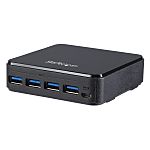
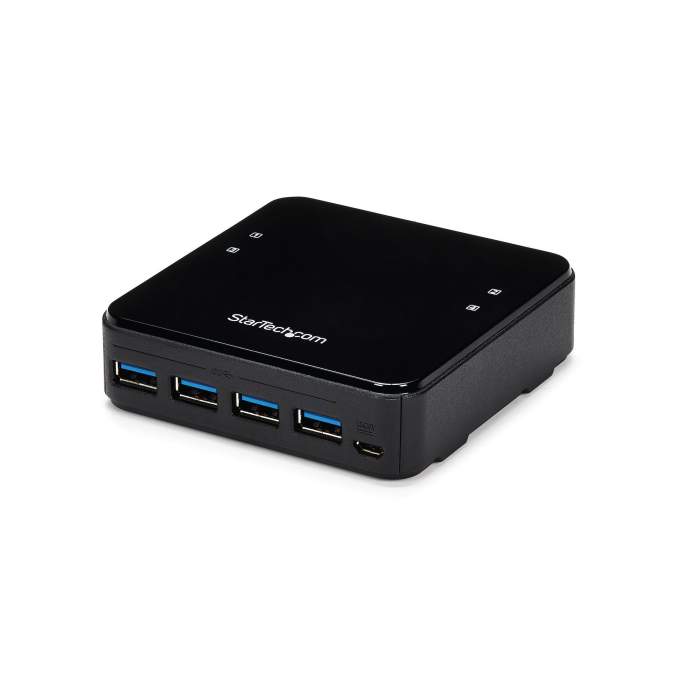
This 4x4 USB 3.0 peripheral sharing switch lets you share four USB 3.0 peripheral devices between four different computers, providing a cost-effective way to create a more productive, space-efficient work area.
Save costs and time by sharing peripherals
Save the expense of purchasing duplicate peripherals, by sharing devices (such as USB printers, portable hard drives, mouse and keyboard) with up to four computers. The USB switch also lets you avoid having to swap cables from one system to another, saving time and effort.
Fast data transfer speed
Enjoy fast data transfers to and from your shared peripheral devices. The USB switch supports USB 3.0 (up to 5Gbps), providing high-bandwidth support for devices like external hard drives and webcams. The USB 3.0 switch is also backward compatible with USB 2.0/1.1 and works with older devices.
Easy to use
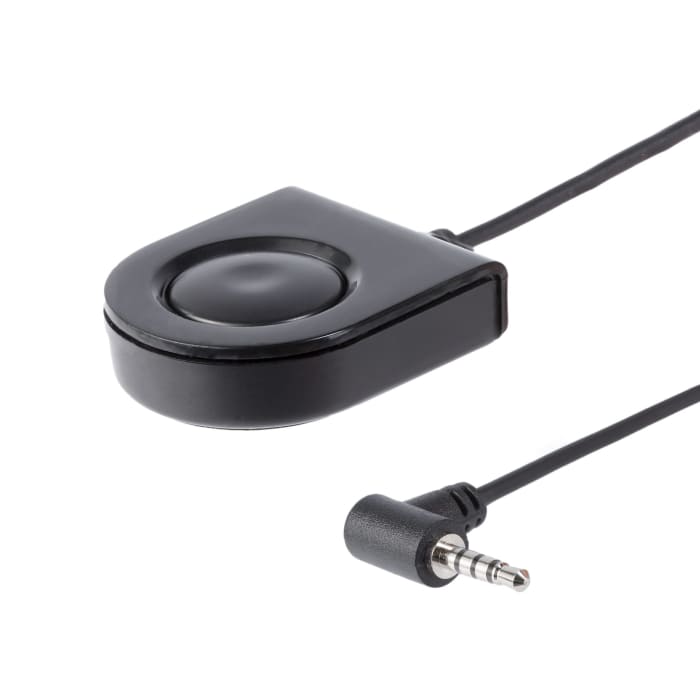
The plug-and-play USB switch is easy to use, with no drivers or software required. It features a remote port selector that lets you switch peripheral devices from one computer to another with the press of a button. The LED indicates the active computer.
The switchs compact design takes up minimal desk space and its USB-powered.
Share more devices
The 4-port USB switch can also be connected to a USB hub or docking station, to expand the number of shared devices.
The HBS304A24A is backed by a StarTech.com 2-year warranty and free lifetime technical support.
What does backwards compatible mean?
USB 3.0 ports are backwards compatible with all earlier versions of USB, so with the help of adapters, it is easy to remain connected to older peripherals after youve upgraded devices. With USB-C, for example, while the port is physically different, with a simple adapter you can easily connect your USB-A tech tools to your USB-C devices. With that said, it will downgrade performance to that supported by the device.
What is the difference between USB Types 2.0 and USB 3.0?
There are key differences between the USB 2.0 & USB 3.0 is that the USB 3.0 has an improved data transfer speed, transferring data up to 5Gbps whereas the USB 2.0 can only support speeds up to 480Mbps. USB 3.0 type can also support video and provides additional power transfer of 900 mA. USB 3.0 is backwards compatible with all earlier version of USB types too.
Информация о наличии не успела загрузиться
P.O.A.
1
P.O.A.
Информация о наличии не успела загрузиться
1
Техническая документация
Характеристики
Brand
StarTech.comКоличество USB портов
4
Тип продукции
USB-концентратор
Спецификация USB
USB 3.1
Источник питания
USB
Тип сетевого подключения
USB
Материал каски/сварочной маски
26мм
Глубина
94мм
Стандарты/одобрения
FCC, RoHS, CE
Ширина
94 mm
Страна происхождения
China
Информация о товаре
This 4x4 USB 3.0 peripheral sharing switch lets you share four USB 3.0 peripheral devices between four different computers, providing a cost-effective way to create a more productive, space-efficient work area.
Save costs and time by sharing peripherals
Save the expense of purchasing duplicate peripherals, by sharing devices (such as USB printers, portable hard drives, mouse and keyboard) with up to four computers. The USB switch also lets you avoid having to swap cables from one system to another, saving time and effort.
Fast data transfer speed
Enjoy fast data transfers to and from your shared peripheral devices. The USB switch supports USB 3.0 (up to 5Gbps), providing high-bandwidth support for devices like external hard drives and webcams. The USB 3.0 switch is also backward compatible with USB 2.0/1.1 and works with older devices.
Easy to use
The plug-and-play USB switch is easy to use, with no drivers or software required. It features a remote port selector that lets you switch peripheral devices from one computer to another with the press of a button. The LED indicates the active computer.
The switchs compact design takes up minimal desk space and its USB-powered.
Share more devices
The 4-port USB switch can also be connected to a USB hub or docking station, to expand the number of shared devices.
The HBS304A24A is backed by a StarTech.com 2-year warranty and free lifetime technical support.
What does backwards compatible mean?
USB 3.0 ports are backwards compatible with all earlier versions of USB, so with the help of adapters, it is easy to remain connected to older peripherals after youve upgraded devices. With USB-C, for example, while the port is physically different, with a simple adapter you can easily connect your USB-A tech tools to your USB-C devices. With that said, it will downgrade performance to that supported by the device.
What is the difference between USB Types 2.0 and USB 3.0?
There are key differences between the USB 2.0 & USB 3.0 is that the USB 3.0 has an improved data transfer speed, transferring data up to 5Gbps whereas the USB 2.0 can only support speeds up to 480Mbps. USB 3.0 type can also support video and provides additional power transfer of 900 mA. USB 3.0 is backwards compatible with all earlier version of USB types too.