Техническая документация
Характеристики
Brand
StarTech.comТип продукции
Переключатель KVM
Тип соединения видеоизображения
DVI
Количество портов
4
Поддерживаемое количество дисплеев
2
Количество видеовыходов
2
Максимальное разрешение
1920 x 1200 pixel
Тип подключения клавиатуры/мышки
USB
Тип аудиоподключения
3,5 мм стерео
Материал каски/сварочной маски
60мм
Глубина
130мм
Стандарты/одобрения
TAA, RoHS, FC, CE
Ширина
220мм
Раскладка клавиатуры
104 Key
Страна происхождения
Taiwan, Province Of China
Информация о товаре
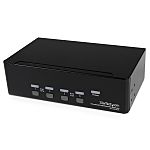
The SV431DD2DUA 4-port Dual DVI USB KVM Switch allows up to four PCs, each with dual DVI video outputs, to share two monitors, one microphone and set of speakers, one keyboard and one mouse as well as two other USB peripherals.
An ideal solution for graphic designers, CAD/CAM designers or educational and financial institutions, the dual view KVM Switch allows you to instantly switch back and forth between dual DVI display PCs at the touch of a button, while maintaining professional level video quality on both monitors. The dual DVI switch also features an integrated USB hub port that allows USB 2.0 peripherals such as thumb drives, external hard drives or web cams to be shared between attached systems - eliminating duplicate peripheral costs.
This product is TAA compliant and backed by a Startech.com 3 year warranty with free lifetime technical support.
Rackmount your KVM switch
If youd like to mount this KVM switch to your server rack, StarTech.com offers a 1U Rackmount Bracket (sold separately) that turns this KVM into a rackmountable KVM.
While both DVI-I (analog mode) and DVI-D (digital only) are supported by the KVM, both source PCs should output the same signal type for proper switching. It is recommended wherever possible to use DVI-D cables across all PC to KVM and KVM to Console connections.
While both DVI-I (analog mode) and DVI-D (digital only) are supported by the KVM, both source PCs should output the same signal type for proper switching. It is recommended wherever possible to use DVID cables across all PC to KVM and KVM to Console connections
Информация о наличии не успела загрузиться
P.O.A.
1
P.O.A.
Информация о наличии не успела загрузиться
1
Техническая документация
Характеристики
Brand
StarTech.comТип продукции
Переключатель KVM
Тип соединения видеоизображения
DVI
Количество портов
4
Поддерживаемое количество дисплеев
2
Количество видеовыходов
2
Максимальное разрешение
1920 x 1200 pixel
Тип подключения клавиатуры/мышки
USB
Тип аудиоподключения
3,5 мм стерео
Материал каски/сварочной маски
60мм
Глубина
130мм
Стандарты/одобрения
TAA, RoHS, FC, CE
Ширина
220мм
Раскладка клавиатуры
104 Key
Страна происхождения
Taiwan, Province Of China
Информация о товаре
The SV431DD2DUA 4-port Dual DVI USB KVM Switch allows up to four PCs, each with dual DVI video outputs, to share two monitors, one microphone and set of speakers, one keyboard and one mouse as well as two other USB peripherals.
An ideal solution for graphic designers, CAD/CAM designers or educational and financial institutions, the dual view KVM Switch allows you to instantly switch back and forth between dual DVI display PCs at the touch of a button, while maintaining professional level video quality on both monitors. The dual DVI switch also features an integrated USB hub port that allows USB 2.0 peripherals such as thumb drives, external hard drives or web cams to be shared between attached systems - eliminating duplicate peripheral costs.
This product is TAA compliant and backed by a Startech.com 3 year warranty with free lifetime technical support.
Rackmount your KVM switch
If youd like to mount this KVM switch to your server rack, StarTech.com offers a 1U Rackmount Bracket (sold separately) that turns this KVM into a rackmountable KVM.
While both DVI-I (analog mode) and DVI-D (digital only) are supported by the KVM, both source PCs should output the same signal type for proper switching. It is recommended wherever possible to use DVI-D cables across all PC to KVM and KVM to Console connections.
While both DVI-I (analog mode) and DVI-D (digital only) are supported by the KVM, both source PCs should output the same signal type for proper switching. It is recommended wherever possible to use DVID cables across all PC to KVM and KVM to Console connections